
- Catalogs
- Workswell s.r.o.
- WORKSWELL COREPLAYER

WORKSWELL COREPLAYER

WORKSWELL COREPLAYER
- Camera Connection: Supports Workswell WIRIS, Workswell Infrared Camera (WIC), Workswell GigE, and USB3 modules for FLIR TAU2.
- Temperature Range: Adjustable to Low (-40°C to 150°C) or High (0°C to 550°C) depending on the camera type.
- Image Source: Full image or specified part using a rectangle ROI tool.
- Framerate: Adjustable from 1Hz to 30Hz.
- Calibration: NUC (non-uniformity compensation) for image quality and signal stabilization.
- Recording: Radiometric thermal video acquisition with snapshot capability.
- Analog Video Settings: Change palette, isothermal mode, insert spot meter, select PAL or NTSC.
- AVI Record: Save live video as AVI format with adjustable framerate and bitrate.
- Palette: 14 options including BlackRed, BlueRed, and Rainbow.
- Interpolation: Smooth image without pixelization.
- Units: Temperature in °C or °F.
- Acquisition Parameters: Set emissivity and reflected temperature.
- Advanced Parameters: Atmospheric temperature, humidity, distance, and optics transmission.
- Temperature Range: Manual or automatic mode for color distribution.
- Isothermal Mode: Four types: Below, Above, Between, and Below and Above.
- ROI Analysis: Insert and manage various measurement tools/ROIs.
- Zoom: Real-time zoom with 0.5x increments.
- Measured Values: Min, Max, and Average temperature in ROIs, exportable as CSV.
- Graphs: Thermal Scanner, Thermal Profile, and Time Graph for visualizing temperature data.
- Playback: Play radiometric video forwards, backwards, or in a loop.
- Processing: Cut and save video as a new radiometric sequence.
- Export: Images exportable in various formats including JPEG, PNG, CSV, and AVI.
- Presentation Mode: Full-screen display for presentations.
- User Interface: Intuitive with customizable layout.
- Image Information: Details about saved images including filename, camera type, and resolution.
- Camera Information: Displays connected camera details like IP, MAC address, and serial number.
- GPS Support: Integration with GPS data for location display in Google Maps.
- Report Contents: Includes thermal images, time graphs, and image parameters.
- Additional Information: Customizable with protocol name, date, company logo, and more.
- Control Grades: Three levels: Beginner, Expert, and Guru.
- Device Control: Extensive control over image format, acquisition parameters, and more.
- Communication Control: Manage parameters like Answer Timeout and Command Retry Count.
- Image Stream Control: Adjust timeouts and check IP addresses.
- Recommended: Intel Core i5, 4GB RAM, 4GB HDD, Gigabit Ethernet, Windows 7.
- Minimum: Intel Core i3, 2GB RAM, 2GB HDD, 1000 Mb/s NIC.
- Special Hardware: USB3 port and Gigabit Ethernet NIC.
Catalog excerpts

Datasheet wWORKSWELL
Open the catalog to page 1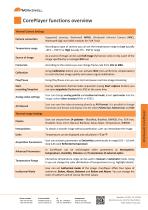
CorePlayer functions overview Thermal Camera Settings Headquarters Libocka 653/51b Prague, Czech Republic Revision 1.0 EN, 12.2.2016 All pictures are only for illustration. Real values may vary.
Open the catalog to page 2
Measurement features Headquarters Libocka 653/51b Prague, Czech Republic Revision 1.0 EN, 12.2.2016 All pictures are only for illustration. Real values may vary.
Open the catalog to page 3
Report generation Recommended Requirements Headquarters Libocka 653/51b Prague, Czech Republic Revision 1.0 EN, 12.2.2016 All pictures are only for illustration. Real values may vary.
Open the catalog to page 4
Sales Department E-mail: [email protected] Czech Republic Czech Republic Company contact details Mobile: +420 725 877 063 E-mail: [email protected] 010 08, Žilina Slovak Republic E-mail and Web [email protected] www.workswell.eu Headquarters Libocka 653/51b Prague, Czech Republic Revision 1.0 EN, 12.2.2016 All pictures are only for illustration. Real values may vary. Workswell CorePlayer
Open the catalog to page 5All Workswell s.r.o. catalogs and technical brochures
 WIC SC
8 Pages
 GIS-320
4 Pages
 WORKSWELL THERMOFORMAT
5 Pages
 WORKSWELL WIC SDK
8 Pages
 WORKSWELL WIRIS 2ND GEN
8 Pages
 Workwell Infrared Camera
17 Pages