
- Catalogs
- Thermotron
- VNC Viewer


VNC Viewer

VNC Viewer
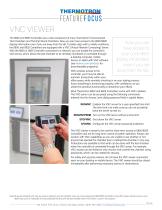
The 8800 and 8825 Controllers are essential components of Thermotron Environmental Test Chambers and Thermal Shock Chambers. These controllers now feature a VNC (Virtual Network Computing) Server, allowing remote access to display information via a network connection.
Specifications and Features
The VNC server enables remote monitoring and control of the test chambers through devices with VNC software. This feature supports a mobile workforce by allowing productivity to be maintained while away from the lab.
Procedures
- RUNVNC: Enables the VNC server for a user-specified time limit to prevent accidental prolonged activation.
- RUNVNCPERM: Activates the VNC server without a time limit.
- STOPVNC: Shuts down the VNC server.
- CFGVNC: Configures password protection for the VNC server.
Recommendations and Best Practices
- Use VNC for short-term access only, not for long-term control.
- Implement password protection to limit VNC access to monitoring only.
- Close the VNC viewer immediately after use to ensure safety and security.
- Be cautious of physical interactions with the test chamber during remote access to prevent accidents.
Safety and Security
It is crucial to be aware of individuals working on or near the test chamber when using the VNC viewer, as improper use can lead to serious injury or death.
Contact Information
Thermotron Industries, 291 Kollen Park Drive, Holland, Michigan 49423 | (616) 393-4580 | THERMOTRON.COM
Catalog excerpts
FEATURE F OCUS VNC VIEWER The 8800 and 8825 Controllers are a vital component of many Thermotron Environmental Test Chambers and Thermal Shock Chambers. Now you can have access to the 8800/8825 display information even if you are away from the lab. To better align with a mobile workforce, the 8800 and 8825 Controllers are equipped with a VNC (Virtual Network Computing) Server. With the 8800 or 8825 Controller connected to a network, you can enable the controller’s VNC server, which allows the test chamber to be remotely monitored or controlled through a desktop computer, mobile device, or tablet with VNC software (see realvnc.com/products for downloadable programs). Now you can have access to your controller’s display information even if you are away from the lab. With wireless access to the controller, you’ll now be able to maintain productivity within your office space, while remotely checking in on your testing process. Know everything is functioning properly, with confidence, as you utilize this practical functionality to streamline your efforts. Most Thermotron 8800 and 8825 Controllers come with VNC installed. The VNC server can be accessed using the following commands entered into the Access Level dialog password field in capital letters: RUNVNC nables the VNC server for a user-specified time limit. E The time limit is to make sure you do not accidently leave the server turned on. RUNVNCPERM Turn on the VNC server without a time limit. STOPVNC Shut down the VNC server. CFGVNC the VNC server password protection. Configures The VNC viewer is meant to be used for short-term access to 8800/8825 Controllers and not for long-term control of system operation. Always use caution with VNC capabilities as you are unable to see whether or not anyone has opened the chamber door or altered the chamber in any way. Protections are available to limit what can be done with the test chamber when the controller is connected through the VNC server. For example, VNC access can be limited to only monitor (not control) the chamber using passwords, which can be created for security. For safety and security reasons, do not leave the VNC viewer connection open on your desktop or mobile device. The VNC viewer should be closed immediately after performing necessary actions or observations. Note: e aware of people who may be using or repairing your test chamber when you are accessing the 8800/8825 controllers using VNC viewer. Serious injury or even B death may occur to individuals who are physically working with the test chamber when VNC viewer is used in this situation. 291 Kollen Park Drive, Holland, Michigan 49423 | (616) 393-4580 | THERMOTRON.COM
Open the catalog to page 1All Thermotron catalogs and technical brochures
 Product Dewpoint Control
1 Page
 Battery Test Chamber
1 Page
 Access Ports
1 Page
 Thermotron Company Profile
4 Pages
 Solid Walk-in Chamber
2 Pages


