


- Company
- Products
- Catalogs
- News & Trends
- Exhibitions
Video Management and ERS

Video Management and ERS
The Enhanced Reality System (ERS) by HENSOLDT Avionics is designed for video management and vector overlay on live camera feeds, integrating both manned and unmanned airborne platforms with ground assets. It supports mission execution by providing situational awareness and flexibility.
Key Features
- Video Management: Processes up to 4 video streams with Full HD recording, video distribution, and configurations like split-screen and picture-in-picture.
- Vector Overlays: Displays vector data such as streets and points of interest on real-time camera feeds, enhancing situational awareness.
- 3D Synthetic Imagery: Combines map and database data into a 3D perspective for improved mission operations.
- Moving Target Indication (MTI): Detects and tracks moving objects in real-time, enhancing surveillance efficiency.
Connectivity and Communication
- Supports LTE and Tactical Data Link for connectivity.
- Includes a communication hub for network-centric architectures.
- Ground station facilitates seamless data management and distribution.
Hardware and Interfaces
- RE1 Avionics Computer: Compact, lightweight, and energy-efficient, supporting various video and audio interfaces.
- Storage: Utilizes a 512 GB Solid-State-Drive for over 100 hours of Full HD recording.
- Control Units: Includes customizable Human Machine Interface (HMI) with various input devices.
Accessories
- Keyboards and control units designed for mission consoles and cockpit use.
- Mounting trays for vertical and horizontal installations.
Compliance and Certification
The system is developed according to RTCA/DO-178B, RTCA/DO-254, and qualified according to DO-160F standards.
Contact Information
HENSOLDT Avionics provides contact details for their offices in Germany, UK, USA, and Switzerland for further inquiries.
Catalog excerpts
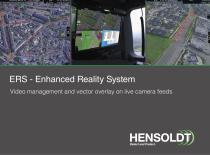
ERS - Enhanced Reality System Video management and vector overlay on live camera feeds
Open the catalog to page 1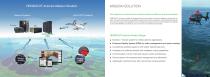
HENSOLDT Avionics Mission Solution Airborne Systems MISSION SOLUTION Full integration of manned and unmanned airborne platforms and ground assets HENSOLDT Avionics provides an integrated end-to-end solution for airborne platforms and ground assets. This goal is achieved by transparently supporting the mission execution, and allowing both ground and airborne assets to be integrated in a joint architecture. Manned and unmanned systems are teamed up to provide flexibility and ease of use at a maximum of situational awareness. HENSOLDT Avionics Product Range ■ EuroNav 7 mission system for critical...
Open the catalog to page 2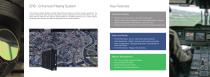
ERS - Enhanced Reality System Key Features The Enhanced Reality System provides state-of-the-art features to improve mission operations. The system combines all major functions required for camera operations in one box and offers a very powerful mission system for any airborne sensing platform. The ERS processes up to 4 video streams, generates vector overlays and offers recording and communication features. Enhanced Reality • Overlay vector data layers on real-time camera feed • Display street names, addresses and customizable points of interest • Additional information from EuroNav 7 (e.g....
Open the catalog to page 3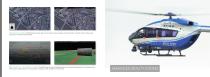
Vector Data on Video The ERS overlays vector data such as streets, house numbers, parcel information, railroads, point of interest and user points on real-time camera feeds. ERS Virtual View - 3D synthetic imagery The ERS brings all map and database data into 3-dimensional perspective. The relevant information that is superimposed on the top-down 2D imagery is also available in the 3D image. ENHANCED REALITY SYSTEM
Open the catalog to page 4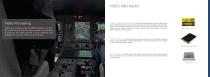
Video Processing The Enhanced Reality System ERS processes a multitude of internal and external video sources, incorporates a 4 channel HD video recorder, 2 audio channels, and storage for more than 100 hours of recording. Video Processing & Distribution The ERS Video Switching Matrix, Video Processing engi- nes and Multiplexers tailor and combine the video inputs and route the imagery to the right video target, such as displays, downlink or external video recorder. Each video source image can be scaled, cropped, rotated and interlaced to match a specific video output resolution, orientation,...
Open the catalog to page 5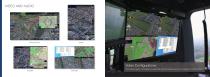
Video Configurations Dual-Split The video engine can present a selected external video source in a variety of configurations.
Open the catalog to page 6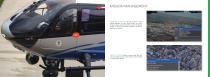
MISSION MANAGEMENT Database & Search The ERS contains a searchable database of cities, street names, zip codes, house numbers, parcel information, points-of-interest, bodies of water and railroads. Additional content is available on request. Address Search ^ -State FRANCE |g|ICity/Zip DE| ' Marker Function Markers include meta data and can be selected to steer camera and can be modified or viewed after mission.
Open the catalog to page 7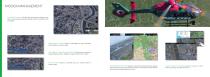
Time Shift Function The ERS time shift function allows the operator to view previously recorded footage while the recording is still in progress. Searchlight Function Position a searchlight by map coordinates, marker position or camera target. LRF Marker (Laser Range Finder) lrf markers are placed on targeted objects and will display the relative distance to the object. VIA CASCINA COSTA 20 SAMARATE-CASCINA COSTA Point Function Define a coordinate entry as a marker position or camera target. , Robecchetto inveru Camera Brush Function Depicts and records the areas which were already Touch Screen...
Open the catalog to page 8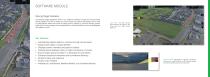
SOFTWARE MODULEMoving Target Indication The Moving Target Indication (MTI) is an additional software module for the Enhanced Reality System. The MTI is based on proven picture recognition technology and is used to automatically detect both small and large moving objects in real-time through camera feeds. Each moving target can be displayed with a unique identifier and can be highlighted with different colors. • Automatically detects objects in real-time through camera feeds • Assigns each object a unique identifier • Displays position, elevation and speed of objects • Tracking feature displays...
Open the catalog to page 9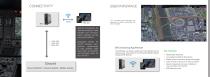
CONNECTIVITY USER INTERFACE HMI The ERS function selections and placement are highly customizable and easy to navigate. Video data Audio data Meta data 4G/LTE connectivity for internet connection, data transfer and communication between aircraft and ground station. Integrated WLAN for remote wireless maintenance, up/download of map updates, flight trace data, screenshots and recorded video to/ from the RE1. ERS Streaming-App/Remote The ERS App is a simple, practical and cost-effective tool for streaming live video feeds for the Enhanced Reality System including ERS Remote. GroundGround Station...
Open the catalog to page 10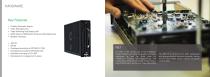
• Overlay Generator Engine • Video Recording Unit • Video Switching and Scaling Unit • SATA Slots for HENSOLDT Avionics Solid-State-Drive • Multiple interfaces • Obsolescence management in place The RE1 is the central part of the Enhanced Reality System, providing the graphic and data The RE1 is a compact (1/4 ATR), lightweight interfaces as well as drive slots for and energy-efficient avionics computer; saving HENSOLDT Avionics Solid-State-Drives. The on LRU cost, weight, space, cables, and power combination of Enhanced Reality, Video Proces- consumption.
Open the catalog to page 11
Control Unit CLN8-ERS The ERS control panel combines a rotary knob, push button and 8 direct access keys for easy operation. Keyboard - CLATMN The CLATMN is smaller than standard keyboards and is well-suited for use in a mission console or even as a cockpit data entry device. Input devices Keyboard - CLATMN 3.0 The CLATMN 3.0 is a NVIS compatible LED-Backlit keyboard and has an integrated waterproof trackball to prevent slipping during in-flight use. The ERS Human Machine Interface (HMI) is flexible and customizable. It offers several means of control of the ERS: the HENSOLDT Avionics Control...
Open the catalog to page 12
Solid-State-Drive (SSD) The 512 GB SSD is the storage medium for the RE1. Mounting Tray HRE-1.0 The slide-in tray supports easy vertically aligned installation and maintenance provided by directly mounted connectors. Storage Device and Mounting Devices Storage medium for the Enhanced Reality System is a 512 GB Solid-State-Drive. Over 100 hours of Full HD. The disk can be easily removed if required. The slide-in tray meets ergonomic requirements in terms of installation and maintenance. The tray will be hard-mounted, no dampers are required. The ERS attaches to the tray using a rotary latch. Mounting...
Open the catalog to page 13All HENSOLDT catalogs and technical brochures
 ARGOS-II Airborne EOS
2 Pages
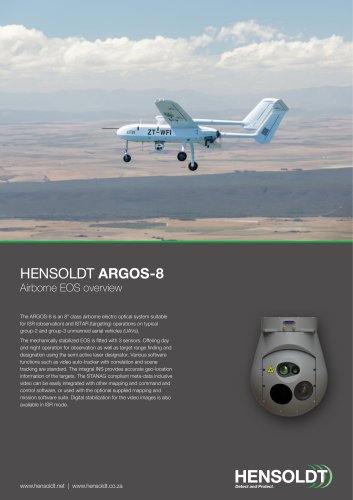 ARGOS-8 Airborne EOS
2 Pages
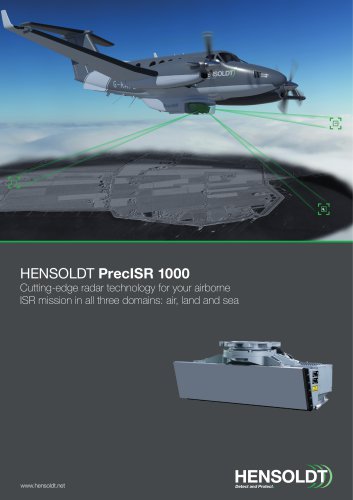 PrecISR Airborne Radar
2 Pages
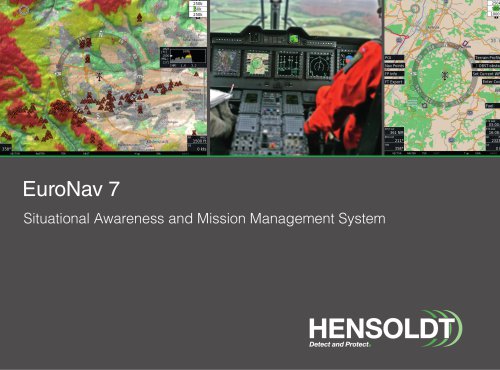 EuroNav 7
19 Pages
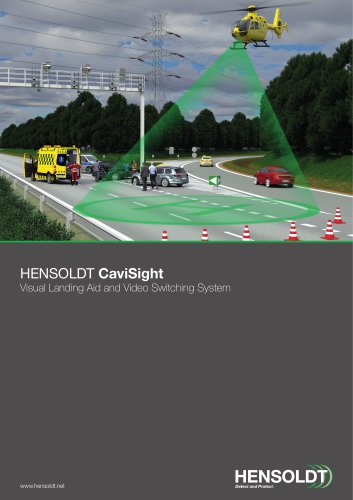 CaviSight
2 Pages
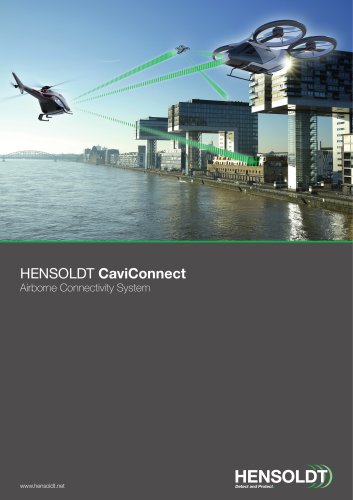 CaviConnect
2 Pages
 HENSOLDT SferiRec LCR 100
2 Pages
 Multipurpose Antenna
1 Page
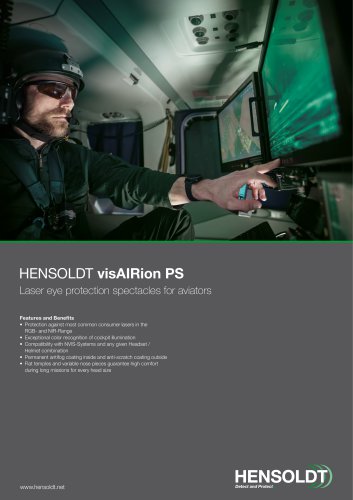


- Aircraft antenna
- Pilot glasses
- UAV camera
- Surveillance radar
- Safety glasses
- Blade antenna
- Aircraft camera
- Aircraft radar
- Airborne radar
- Microfiber glasses
- Inflight connectivity
- Aircraft inflight connectivity
- Flight data recorder
- Aircraft flight data recorder
- Ruggedized camera
- Stabilized camera
- Tracking camera
- DVR video recorder
- Aircraft video recorder
- WiFi inflight connectivity