- Company
- Products
- Catalogs
- News & Trends
- Exhibitions
User-guide-mobile-Airlink-3085IA
User-guide-mobile-Airlink-3085IA
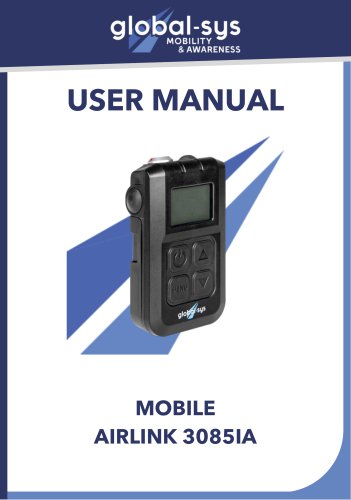
The Globalsys Airlink 3085IA is a mobile device designed for wireless communication using headsets. It supports full duplex audio wideband and can connect up to 8 portable devices. It features a large graphic display with backlight and a removable battery pack. The device is qualified for use in Europe, the US, Brazil, Japan, and Taiwan, and is compatible with various headsets.
Technical Specifications
- Radio: Frequency range of 1870 - 1930 MHz, transmit power of 200mW, GFSK modulation, range up to 300 meters, ADPCM speech encoding, and 120 channels.
- Audio: Bandwidth of 200 Hz to 7 kHz, distortion less than 3%, and signal-to-noise ratio of 40 dB ± 2 dB.
- Battery: Li-ion 2600 mAh with up to 16 hours of life and 3 hours charging time.
- Dimensions and Weight: 128x61x38mm, 300g.
- Environment: Operating temperature from -20°C to +60°C, charging temperature from 0 to +45°C, IP54 protection level, and drop resistance of about 1 meter.
Audio Adaptation
The device can connect to various headsets using adapter cords. It is crucial to use the correct cord to avoid equipment damage. Color codes for different audio adaptations are provided.
System Structure and Guidelines
The base can connect up to 8 wireless mobiles or headsets. Regular maintenance and inspection are advised to ensure functionality and safety. The device should be stored in a dry, clean environment at room temperature.
Operation and Controls
The device features several buttons for operation, including ON/OFF, volume control, and menu navigation. Pairing is required for initial setup, and various modes such as VOX, noise reduction, and night vision can be adjusted through the menu.
Maintenance and Storage
Clean the device with mild soap and water. Avoid exposure to extreme weather conditions to prolong the device's lifespan.
Contact Information
For more information, visit the Globalsys website or contact them via phone or email.
Catalog excerpts
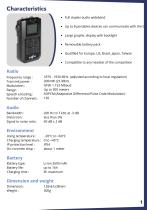
Characteristics Full duplex audio wideband Up to 8 portables devices can communicate with the bas Large graphic display with backlight Removable battery pack Qualified for Europe, US, Brazil, Japan, Taïwan Compatible to any headset of the competition Radio Frequency range : Transmit power : Modulation : Range : Speech encoding : Number of channels : 1870 - 1930 MHz (adjusted according to local regulation) 200mW (23 dBm). GFSK 1.152 Mbaud Up to 300 meters ADPCM (Adaptative Differential Pulse Code Modulation) 120 Audio Bandwidth : Distorsion : Signal to noise ratio : Environment Using temperature...
Open the catalog to page 2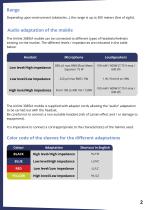
Depending upon environment (obstacles...) the range is up to 300 meters (line of sight). The Airlink 3085IA mobile can be connected to different types of headsets/helmets existing on the market. The different levels / impedances are indicated in the table below: Low level/High impedance Low level/Low impedance High level/High impedance 850 |jV max RMS (Root Mean Square) / 75 W The Airlink 3085IA mobile is supplied with adapter cords allowing the "audio" adaptation to be carried out with the headset. Be careful not to connect a non-suitable headset (risk of Larsen effect and / or damage to equipment)....
Open the catalog to page 3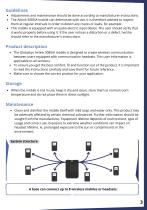
• Adjustments and maintenance should be done according to manufacturer instructions. • The Ailrink 3085IA mobile can deteriorate with use, it is therefore advised to inspect them at regular intervals in order to detect any cracks or leaks, for example . • This mobile is equipped with an audio-electric input device. The user should verify that it works properly before using it. If the user notices a distortion or a defect, he/she should refer to the manufacturer's instructions. • The Globalsys Airlink 3085IA mobile is designed to create wireless communication between users equipped with communication...
Open the catalog to page 4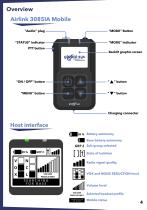
Overview Airlink 3085IA Mobile "Audio" plug "MODE" Button “STATUS” indicator "MODE" indicator Backlit graphic screen “MENU” button Charging connector Host interface 89 % Battery autonomy Base battery autonomy GRP 2 Sub-group selected State of isolation Radio signal quality V VOX and NOISE REDUCTION level Volume level VOLUME PROFILE RNR1 CONNECTED TO BASE Selected headset profile
Open the catalog to page 5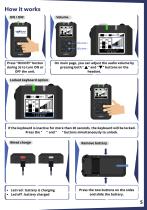
Press “ON/OFF” button during 3s to turn ON or OFF the unit. On main page, you can adjust the audio volume by pressing both " " and " " buttons on the headset. Locked keyboard option KEYBOARD LOCKED If the keyboard is inactive for more than 20 seconds, the keyboard will be locked. Press the " " and " " buttons simultaneously to unlock. Wired charge Led red : battery is charging Led off : battery charged Remove battery Press the two buttons on the sides and slide the battery.
Open the catalog to page 6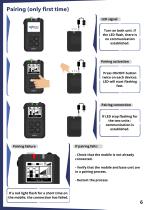
Turn on both unit. If the LED flash, there is no communication established. Pairing activation Press ON/OFF button twice on each devices. LED will start flashing fast. Pairing failure If LED stop flashing for the two units : communication is established. If a red light flash for a short time on the mobile, the connection has failed. Pairing connection - Check that the mobile is not already connected. - Verify that the mobile and base unit are in a pairing process.
Open the catalog to page 7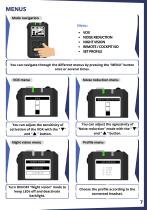
MENUS Mode navigation Menu VOX NOISE REDUCTION NIGHT VISION REMOTE / COCKPIT ISO SET PROFILE You can navigate through the different menus by pressing the “MENU” button once or several times. Noise reduction menu You can adjust the sensitivity of activation of the VOX with the " " and " " button. Night vision menu You can adjust the agressivity of “Noise reduction” mode with the " " and " " button. Profile menu NIGHT VISION Turn ON/OFF “Night vision” mode to keep LEDs off and deactivate backlight. Choose the profile according to the connected he
Open the catalog to page 8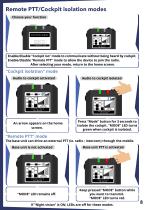
Choose your function Enable/disable "Cockpit iso" mode to communicate without being heard by cockpit. Enable/disable "Remote PTT" mode to allow the device to join the radio. After selecting your mode, return to the home screen. Press "Mode" button for 3 seconds to | . , isolate the cockpit. "MODE" LED turns ! green when cockpit is isolated. The base unit can drive an external PTT (ie. radio ; intercom) through the mobile. Base unit is not activated ^ Keep pressed "MODE" button while 1 you want to transmit. I_"MODE" LED turns red._I If "Night vision" is ON, LEDs are off for these modes.
Open the catalog to page 9
2b, avenue des coquelicots, 94380, Bonneuil-Sur-Marne Phone : +331 43 99 42 17 Mail : [email protected] Website : global-sys.com
Open the catalog to page 11All GLOBALSYS catalogs and technical brochures
 Brochure Airlink 3085
5 Pages
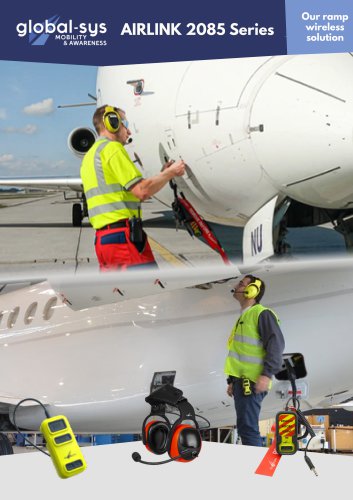 brochure Airlink 2085
5 Pages
 EN 9100: 2018
1 Page
 ISO 9001: 2015
1 Page
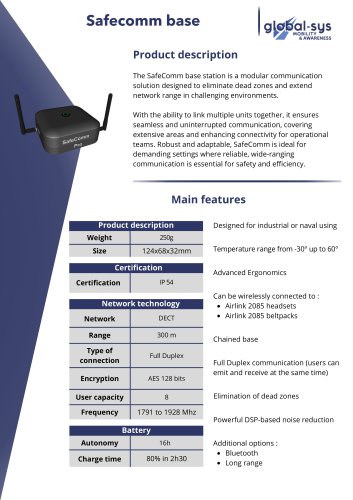 Safecomm base
2 Pages
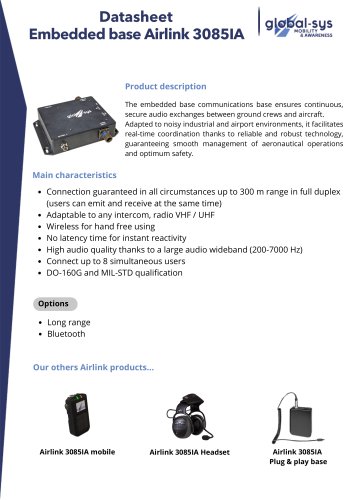 AIRLINK 3085
3 Pages
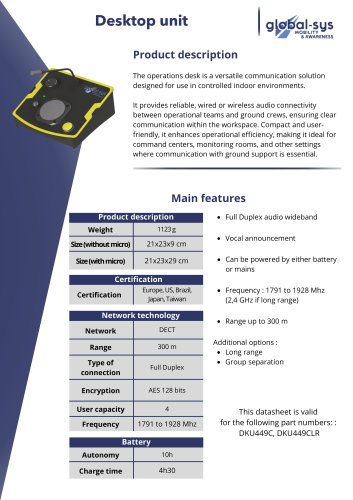 Desktop unit
2 Pages
 HEA-371
2 Pages
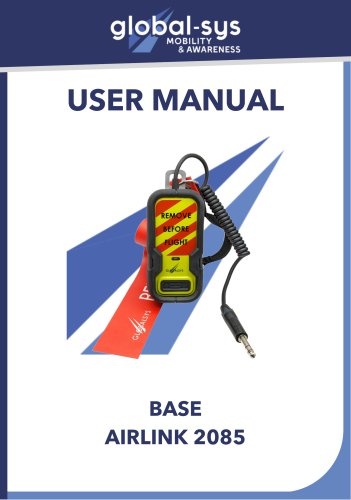 User guide base Airlink 2085
7 Pages
 User guide 3085-IA headset
11 Pages
 User guide Airlink 2085 headset
11 Pages
 User guide Hea 371 - NextGen
8 Pages